abs logo home contact
client image
   UserName :
     Password :   
                               
news banner
Sunday, April 11, 2010
 ABS releases web based mobility management services software product to assist mobility managers with connecting transportation consumers with the transportation provider that meets their needs.
 

Thursday, March 04, 2010
 ABS adds "Fast Action Scheduling" to PtMS for Windows.
 

Saturday, February 27, 2010
 ABS adds "Schedule Optimization" feature to its PtMS automated scheduling system
 

Monday, February 22, 2010
 This features allows PtMSIS to apply its assessments of actual pickup and drop-off times to the scheduled pickup and drop-off times in the PtMS schedule records creating a more accurate sequence of pickup and drop-off times for drivers.
 

All News
bamtop
about services solutions support partners careers
articles


PtMS schedule editing, cancelling and suspending trips

 
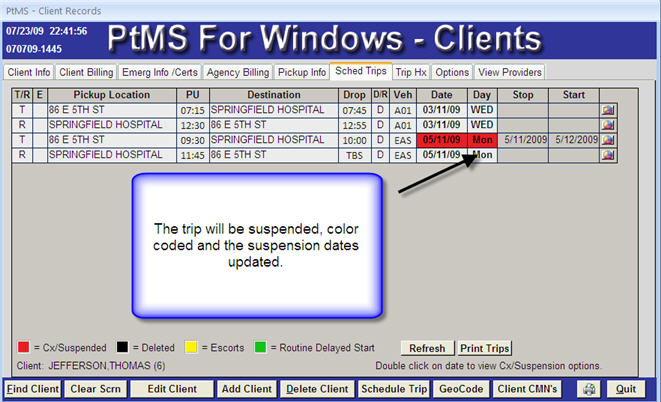
PtMS users can easily edit trips, cancel and suspend trips.

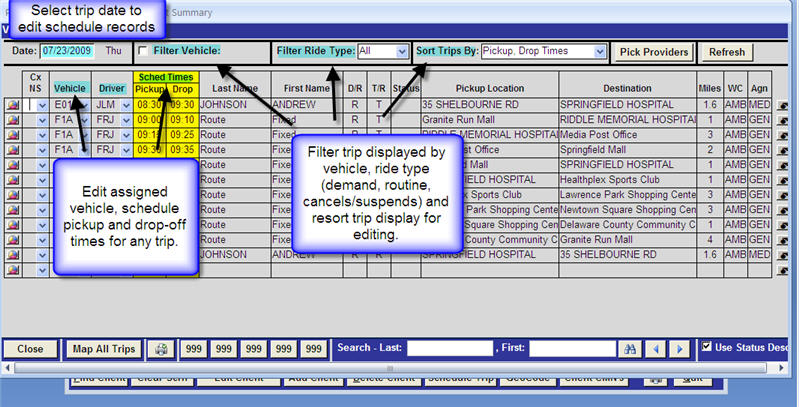
Trip Editing - Vehicles and Times

Most trip editing is changing trip vehicle assignments and adjusting pickup or drop-off times to assist with accomodate scheduling needs.

PtMS users can easily perform both of these tasks on one screen.

Select Vehicle Manifest on the Clients records Options tab to display the Vehicle Manifest Summary screen. On this screen uses can adjust the trip pickup and drop-off times and assigned vehicle in a simple spreadsheet type interface.
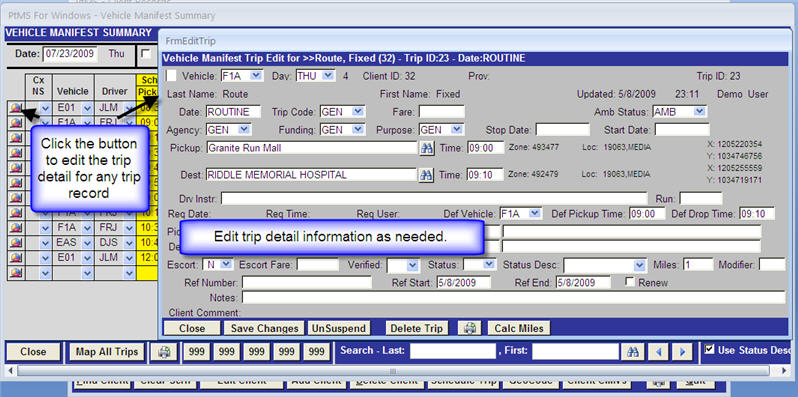
Trip Editing - Trip Details
Canceling Trips

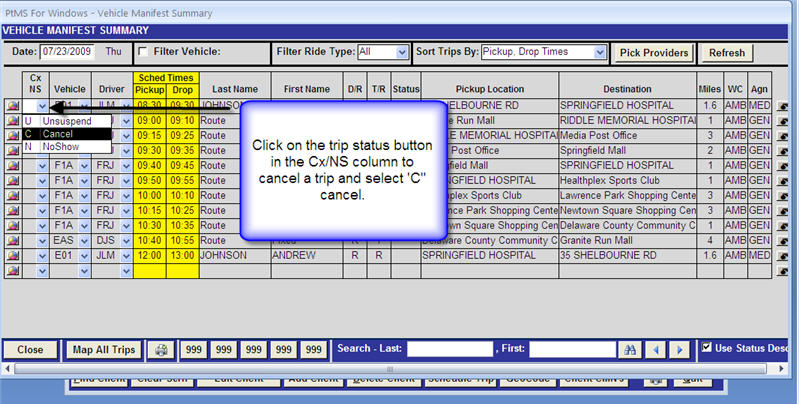
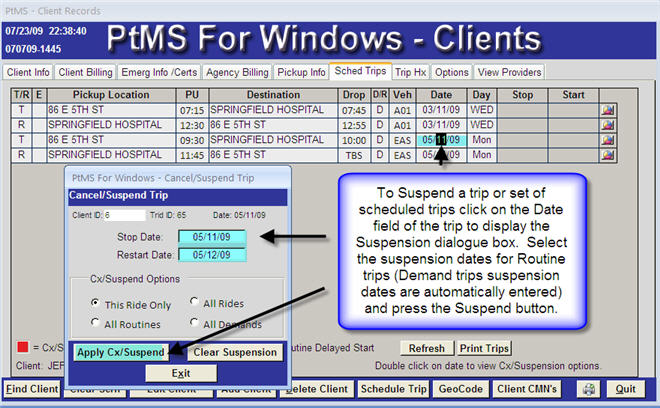
Cancels are generally performed on a single day basis withing a week or less of a scheduled trip. Trips that are removed from the schedule more than a week in advance are generally considered trip suspensions.

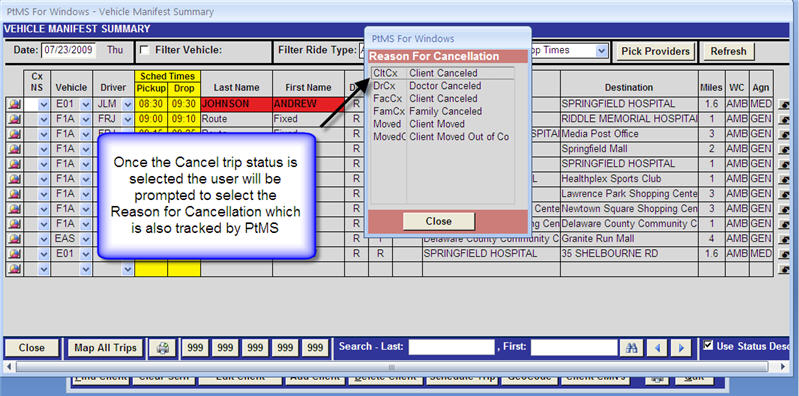
To cancel a record displayed on the Vehicle Manifest Summary screen click the cancellation button and select the trip status:
Suspending Trips


copyright aboutaboutservicessupportparternerscareerscontacts
Privacy Policy